Controlling LLM Behavior with Code
What if your application could understand unstructured text, classify user intent, and adapt its response — all without a single if statement? That's the promise of integrating Large Language Models into your code. But wielding that power requires understanding how these models actually work.
In this post, I'll walk you through the fundamentals: tokens, context windows, stateless APIs, and how to control model behavior programmatically. By the end, you'll understand why managing context is the key skill every AI application developer needs.
What LLMs Actually Are (From a Developer's Perspective)
A Large Language Model (LLM) is, at its core, a mathematical function. Given some input, it calculates probability distributions over possible next tokens, selects one (often with a degree of randomness), and repeats the process until it produces a complete response.
This process is called autoregressive generation: each new token is predicted based on everything that came before — the original input, system instructions, and everything the model has already generated in the current response. Once a token is generated, it cannot be removed or changed.
This has a critical implication: the quality of the model's output depends not only on what the user says, but also on what the developer puts in the system prompt and what the model has already written in the conversation.
Tokens: The Currency of LLMs
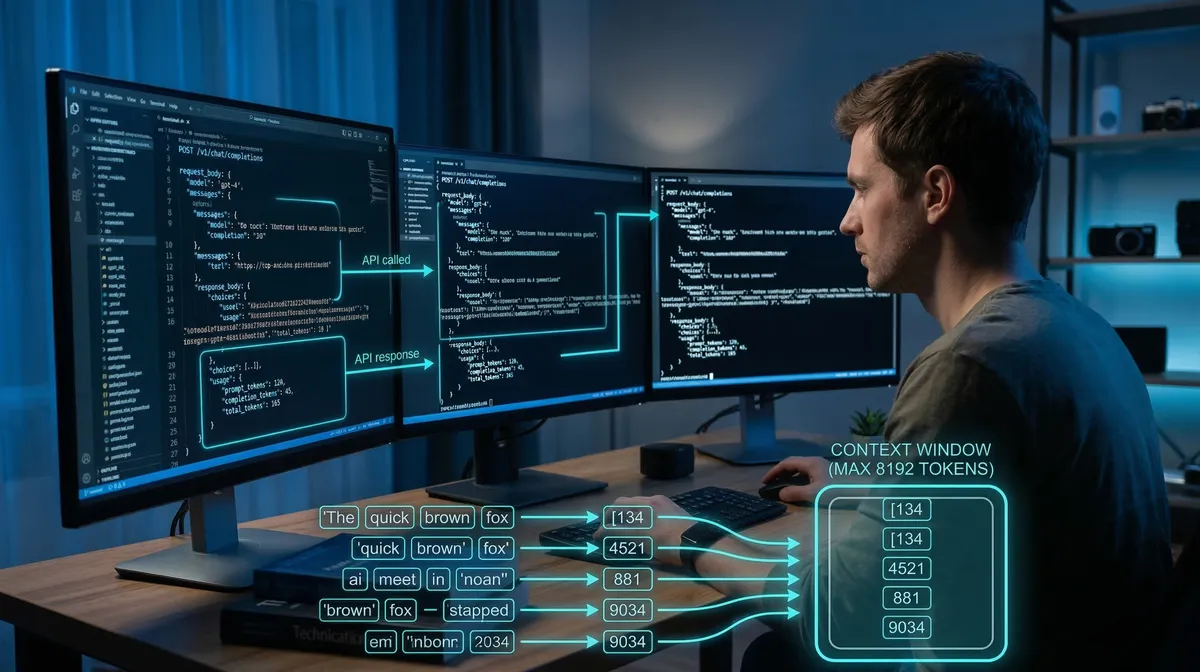
LLMs don't read words — they read tokens. A token is a fragment of text: it could be a whole word, part of a word, punctuation, or whitespace. The exact breakdown depends on the tokenizer used by each model.
Here's a practical example:
"Hello"→ 1 token (common in English training data)"Cześć"→ ~3 tokens (Polish is underrepresented in most training sets)
This matters for two reasons:
- Cost: Most LLM APIs charge per token. Polish or other non-English text can require 50–70% more tokens for equivalent content.
- Context limits: Every model has a context window — a hard cap on the total number of tokens it can process at once, covering your system prompt, conversation history, and the response it's generating.
You can explore how any text is tokenized using tools like Tiktokenizer.
The Stateless API Problem
LLM APIs are stateless. There is no "session" on the server side — each API call is independent. To maintain a conversation, you must send the entire message history with every request.
Here's what a basic multi-turn conversation looks like in code:
import OpenAI from "openai";

const client = new OpenAI({ apiKey: process.env.OPENAI_API_KEY });

const messages: OpenAI.Chat.ChatCompletionMessageParam[] = [
  { role: "system", content: "You are a helpful assistant." },
];

async function chat(userMessage: string): Promise<string> {
  messages.push({ role: "user", content: userMessage });

  const response = await client.chat.completions.create({
    model: "gpt-4.1",
    messages,
  });

  const assistantMessage = response.choices[0].message.content ?? "";
  messages.push({ role: "assistant", content: assistantMessage });

  return assistantMessage;
}

// Each call sends the full history
await chat("What is a token?");
await chat("How does the context window affect cost?");
The messages array grows with every turn. You're managing state yourself. This is intentional — it gives you full control over what context the model sees.
Controlling Behavior Through Context
Here's the key insight: you control the model's behavior by controlling what goes into the context.
This goes far beyond writing a good system prompt. It means you can:
- Inject data (search results, database records, user profile) into the prompt before sending it
- Run multiple model calls in sequence, using the output of one as input to the next
- Filter or rewrite the conversation history before each request
Consider a practical example: a user asks "I want to return my order." Instead of sending that directly to a general-purpose assistant, you could:
- First call: Classify the intent (
{ intent: "return_request" }) - Second call: Use that classification to inject a focused system prompt — return policy instructions, relevant order data — and let the model guide the user through the process
async function handleUserMessage(userMessage: string): Promise<string> {
  // Step 1: Classify intent
  const classificationResponse = await client.chat.completions.create({
    model: "gpt-4.1",
    messages: [
      {
        role: "system",
        content: "Classify the user's intent. Respond with JSON: { intent: string }",
      },
      { role: "user", content: userMessage },
    ],
  });

  const { intent } = JSON.parse(
    classificationResponse.choices[0].message.content ?? "{}"
  );

  // Step 2: Route to specialized handler based on intent
  const systemPrompt =
    intent === "return_request"
      ? "You are a returns specialist. Guide the user through our return process step by step."
      : "You are a general customer support agent.";

  const finalResponse = await client.chat.completions.create({
    model: "gpt-4.1",
    messages: [
      { role: "system", content: systemPrompt },
      { role: "user", content: userMessage },
    ],
  });

  return finalResponse.choices[0].message.content ?? "";
}
From the user's perspective, this is still a simple question-and-answer interaction. Behind the scenes, you've made two API calls, classified intent, and dynamically adjusted the model's behavior.
The Trade-offs
This level of control comes with costs:
- Latency: Multiple sequential API calls add up. The classification step above adds an extra round-trip before the user gets a response.
- Token costs: Larger, more detailed system prompts and longer conversation histories consume more tokens per request.
- Complexity: Managing conversation state, prompt templates, and multi-step pipelines requires careful engineering.
These trade-offs are worth it when correctness matters — when a general-purpose response isn't good enough and you need the model to behave in a specific, predictable way.
What This Means for AI Agents
We've looked at deterministic, developer-controlled pipelines. But there's a more powerful pattern: giving the model itself the ability to decide what to do next.
An AI agent is an LLM that can interact flexibly with its environment — calling tools, reading data, and chaining its own actions. Instead of you deciding when to classify intent and which handler to call, the agent figures that out based on context.
We'll explore agents in depth in future posts. For now, the foundational insight holds: whether you're building a simple chatbot or a complex agent, the mechanism is the same. You're managing what goes into the context window, and that shapes everything the model does.
Key Takeaways
- Tokens are the unit of work: LLMs process tokenized text, not words. Non-English languages often require significantly more tokens for the same content.
- APIs are stateless: You manage conversation history. Each request must include everything the model needs.
- Context is control: You shape model behavior by controlling what's in the context — data, instructions, conversation history, and intermediate results from other calls.
- Multi-step pipelines multiply capability: Chaining multiple model calls, where each uses the output of the previous, unlocks sophisticated behavior that a single prompt cannot achieve.
- Control has a cost: More sophisticated pipelines mean higher latency and token usage. Design accordingly.
The real shift in thinking is this: you're not just writing prompts. You're building systems where code and model outputs collaborate to produce results neither could achieve alone.