Deep Dive: Mastering Claude Code for Advanced Engineering Workflows
Published: 2026-01-19
Deep Dive: Mastering Claude Code for Advanced Engineering Workflows
After six months of integrating Claude Code into my daily terminal-centric workflow, I've moved past the "honeymoon phase" of simple prompting. Today, I use it as a sophisticated agentic layer that sits between my intent and the file system.
While many treat it as a glorified CLI wrapper for an LLM, a deep dive into the official Anthropic "Claude Code in Action" course reveals a much more powerful engine. Here's a technical breakdown of how to squeeze the most out of Claude Code, moving from basic chat to automated agentic loops.
The Architecture of Autonomy: Agentic Tool Use
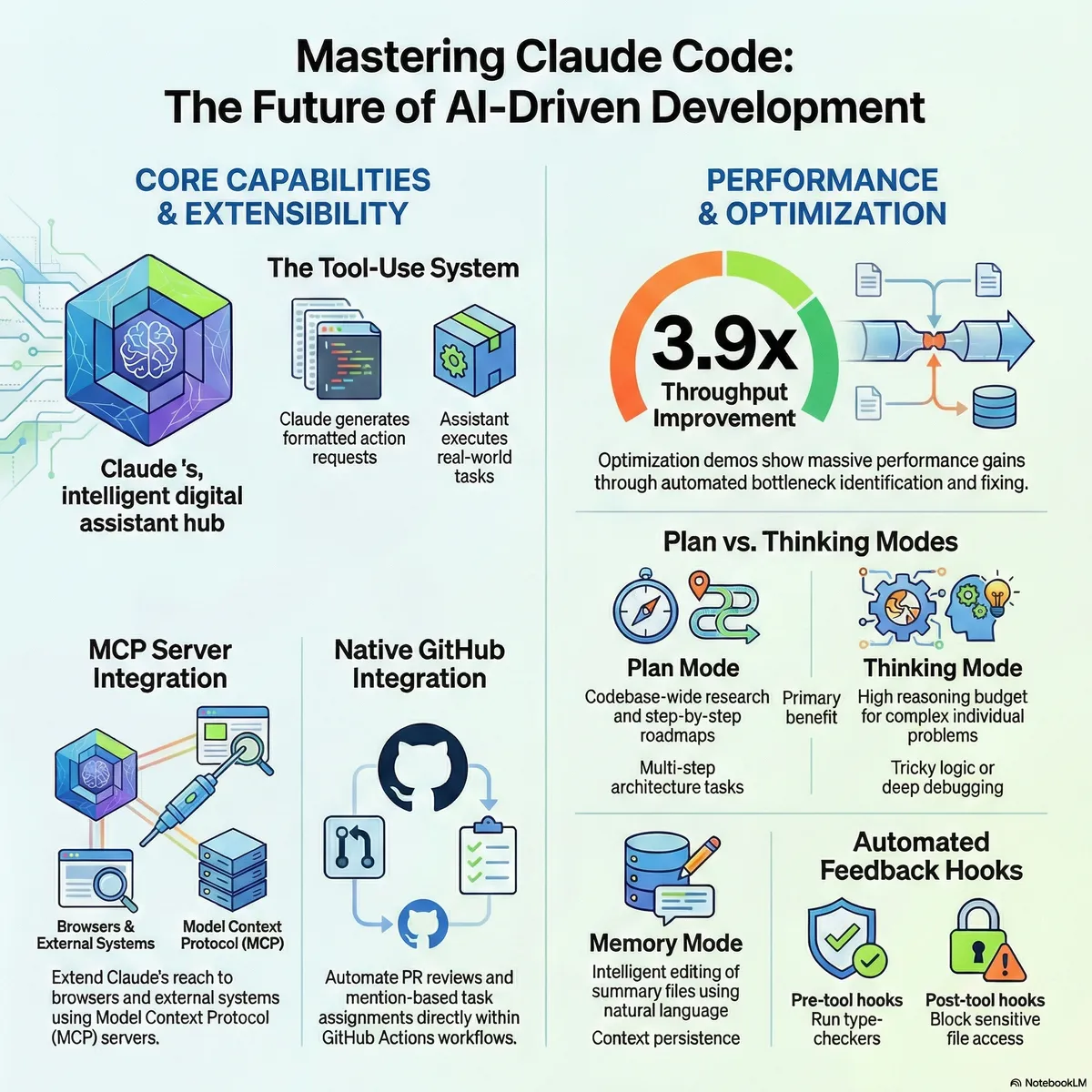
The most common misconception is that Claude "sees" your project. In reality, Claude Code operates on a Tool Use (Function Calling) architecture. It doesn't have a direct vision of your disk; it has a set of capabilities (list_files, grep_search, read_file, edit_file, execute_command).
The Execution Loop
When you issue a high-level command like "Refactor the auth middleware to use JWT instead of sessions", Claude enters an autonomous loop:
Discovery: Executes ls and grep to identify relevant files.
Analysis: Reads the specific implementations.
Synthesis & Edit: Proposes a diff and applies it.
Verification: This is the critical step—Claude can (and should) be prompted to run your test suite (npm test, pytest) to validate the state change.
Tip: Treat Claude like a senior engineer who doesn't know your codebase yet. Provide clear entry points and rely on its ability to self-correct through execution logs.
Context Engineering with Claude.md
Managing the context window is the hardest part of long-running AI sessions. Claude Code introduces a "sticky" context mechanism through Claude.md.
By running /init, you create a persistent memory layer. This is where you should define:
Architecture Decisions (ADRs): Why are we using this specific library?
Coding Standards: "Always use functional components," or "Strictly follow the Clean Architecture pattern."
Project Roadmaps: What are we building next?
This prevents "context drift" where the model starts proposing solutions that contradict your project's established patterns.
Optimizing the "Thinking Budget"
Claude Code provides two distinct modes for different computational needs:
Plan Mode vs. Thinking Mode
Plan Mode: Essential for complex refactoring. Use this to force the model to output a step-by-step strategy before touching the code. It reduces the risk of logic errors in deep dependency trees.
Thinking Mode: This leverages extended reasoning capabilities. When facing a "Heisenbug" or complex race conditions, increase the thinking budget. It allows the model to simulate various execution paths and edge cases internally.
Command Hack
If the session becomes sluggish or the model starts hallucinating due to a bloated history, use:
/compact
This triggers a summarization of the current state, flushes the verbose history, and re-injects only the essential progress back into the context.
Extending the Terminal: MCP and Automation
The Model Context Protocol (MCP) is what separates Claude Code from standard IDE plugins. It allows Claude to interact with external environments.
Practical Automation Recipes
Visual Regression Testing: Connect Claude to Playwright. Claude can spin up a headless browser, navigate to your localhost, take a screenshot, and compare it with a design spec—all while you watch the terminal.
Pre-commit Hooks: You can configure hooks that trigger Claude to run linters or type-checkers (tsc) immediately after an edit, ensuring the agent doesn't leave the codebase in a broken state.
Multi-Modal Debugging in the CLI
One of the most underutilized features is the terminal's ability to handle image data. By using Ctrl-V (or Cmd-V) in the terminal, you can send a screenshot of a rendering error or a Figma component directly to Claude.
Because Claude is multi-modal, it can map pixels to code:
"I see the margin-top is missing in the screenshot; let me check Header.tsx and fix the Tailwind classes."
Final Verdict
The Anthropic course is a 60-minute investment that pays back in hours saved per week. It shifts your perspective from "talking to a bot" to "orchestrating an agent." If you're not using /compact, Claude.md, or MCP hooks, you're only using 20% of the tool's potential.
How are you integrating Claude Code into your CI/CD or local dev loop? Let's discuss in the comments.